Twitch Prime (Prime Gaming) Explained - The 2026 Guide for Streamers
Learn how Twitch Prime subscribers support streamers through monthly subscriptions, stronger engagement, and channel growth.
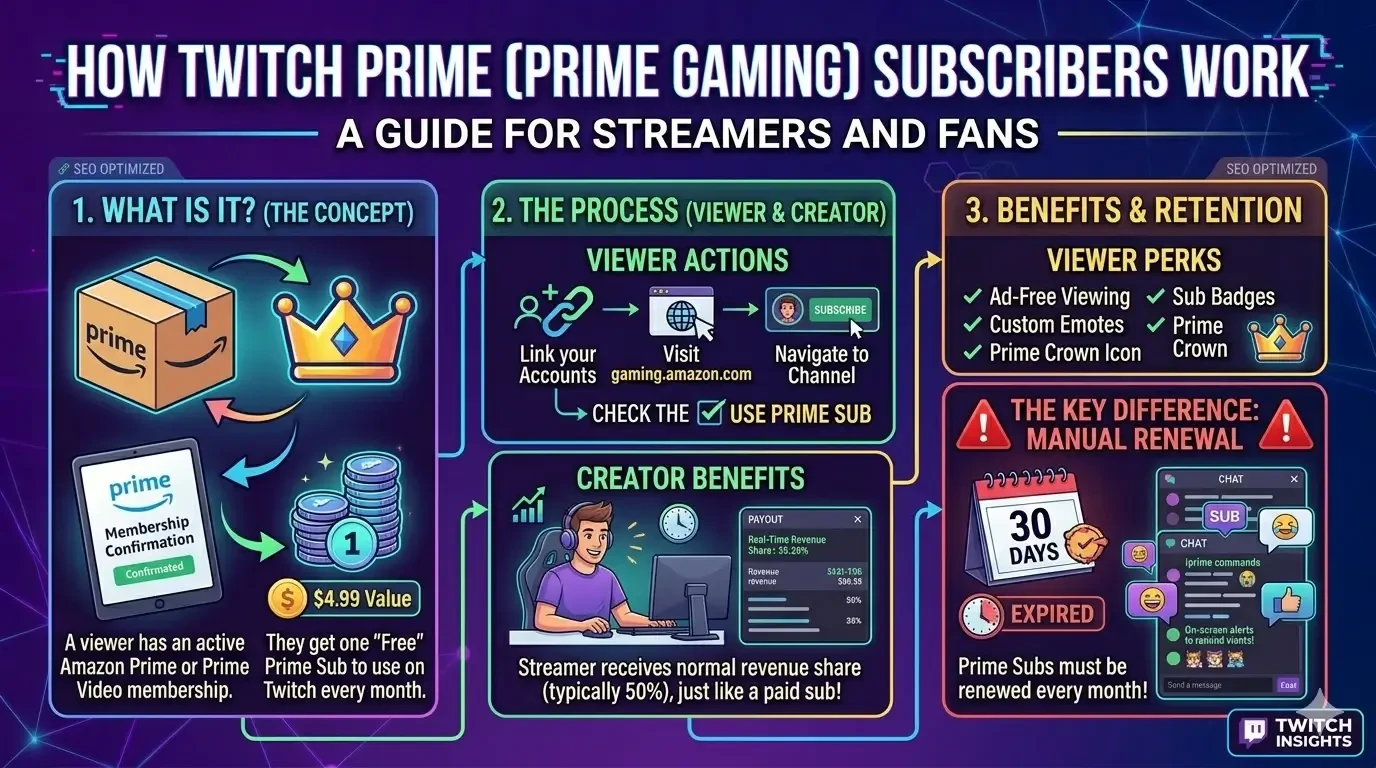
Image: Overview of Twitch Prime and Prime Gaming benefits for streamers.
Twitch Prime (now called Prime Gaming) is one of the most powerful growth engines on the platform. Included with an Amazon Prime membership, it allows viewers to support their favorite streamers for "free" while the streamer receives a real financial payout.
In 2026, Prime remains the primary source of income for new Affiliates and Partners. Here is everything you need to know about how it works.
1. What is a Twitch Prime Sub?
If a user has an active Amazon Prime or Prime Video subscription, they receive one "Prime Sub" every month at no additional cost. This subscription has the exact same value as a paid Tier 1 subscription (approximately $4.99).
- For the Viewer: It costs $0 extra beyond their existing Amazon membership.
- For the Creator: The streamer receives their normal revenue share (typically 50%), exactly as if the viewer had paid with a credit card.
2. The Key Difference: Manual Renewal
Unlike regular recurring subscriptions that charge your card automatically every month, Prime Subs must be renewed manually.
- The Challenge: Once 30 days have passed, the sub expires. If the viewer forgets to click "Subscribe with Prime" again, the streamer loses that support.
- The Strategy: As a streamer, it is your job to remind your community to check if their "Prime is ready." Successful streamers often use chat commands like
!primeor on-screen alerts to guide fans through the process.
3. Viewer Benefits
When a viewer uses their Prime Sub on your channel, they unlock the same premium perks as any other Tier 1 subscriber:
- Ad-Free Viewing: They skip pre-roll and mid-roll ads on your channel.
- Custom Emotes: They get instant access to your channel’s unique emojis.
- Sub Badges: A loyalty icon next to their name in chat.
- Prime Crown: An exclusive crown icon that signifies they are a Prime Gaming member.
4. How to Activate It (For Viewers)
Many Amazon Prime customers are unaware they have this benefit sitting idle. Here is the 4-step process:
- Visit gaming.amazon.com and log in.
- Link your Amazon account to your Twitch account.
- Go to the channel you want to support.
- Click the "Subscribe" button and check the box that says "Use Prime Sub."
Recommended resources:
If you want to take full advantage of Prime benefits, check out Twitch Prime Accounts for instant access and higher trust.
Published at Apr 27, 2026